Pick the product and the colours
Choose on-model photos from your catalog, or upload them. Pick colours from your brand library, or match one from a photo of the real fabric.
On Shopify, Wix and the web · ChatGPT app: not yet in the ChatGPT directory
Built for fashion brands that run many colours per style. Photograph the garment once; Acuarela renders the rest with the same model, pose, lighting and fabric, and you approve each image before it goes live.
See which colours have no photo. Takes a few seconds, no install.
Real Acuarela output from our test store, unretouched.
Which one are you?
Pick the one that sounds like your catalog. The free check shows what it looks like on your own store.
 Some colours have no photoYou sell colours nobody photographed. We make each one on your model, ready for its swatch.
 One colour on a model, the rest flat or ghostSend the model photo plus your ghost or flat shots. Every colour comes back on your model.
 A new colour before you produce itSee the colour on your model before you order the fabric, and only make the ones that sell.
 Already making photos with ChatGPT or GeminiKeep the same model, fit and print across every image, instead of a new face each time.
One photo in, every colour out
Pick a garment and a colour, then compare the starting photo with Acuarela's version: drag the handle or use the arrow keys.
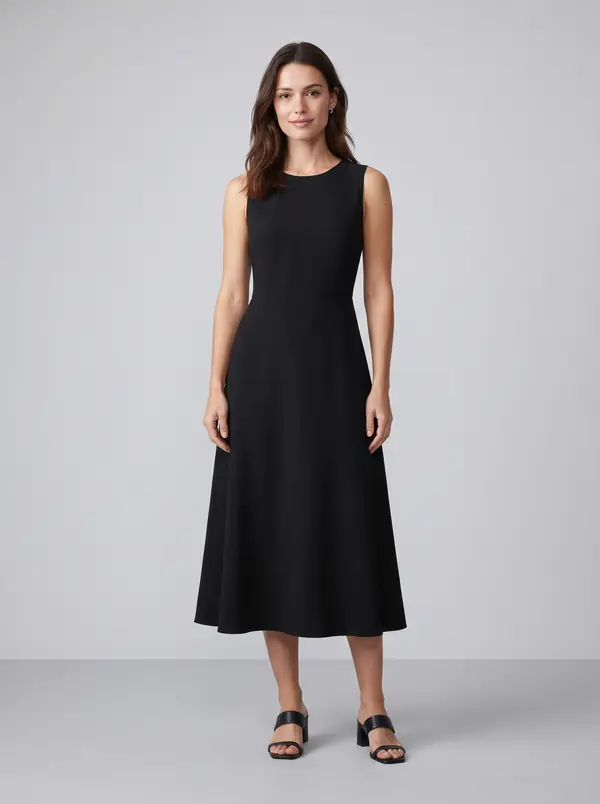 Starting photo
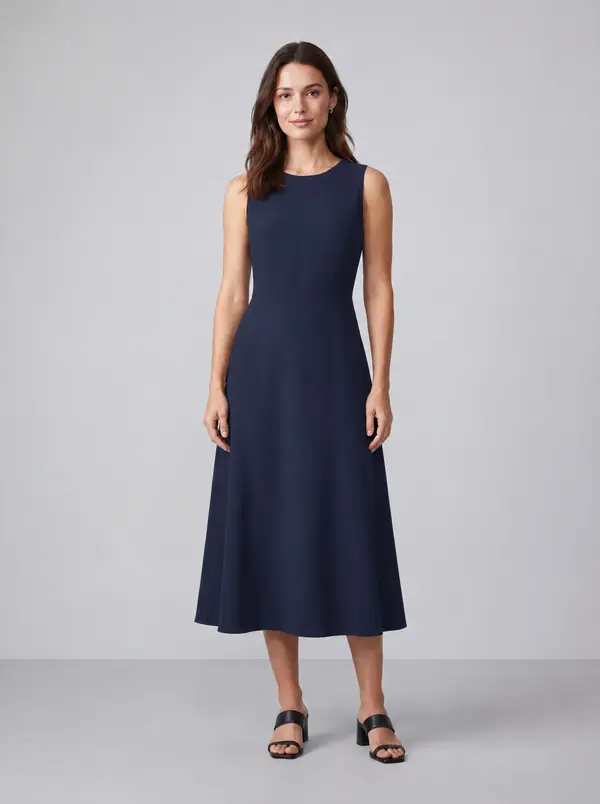 Navy
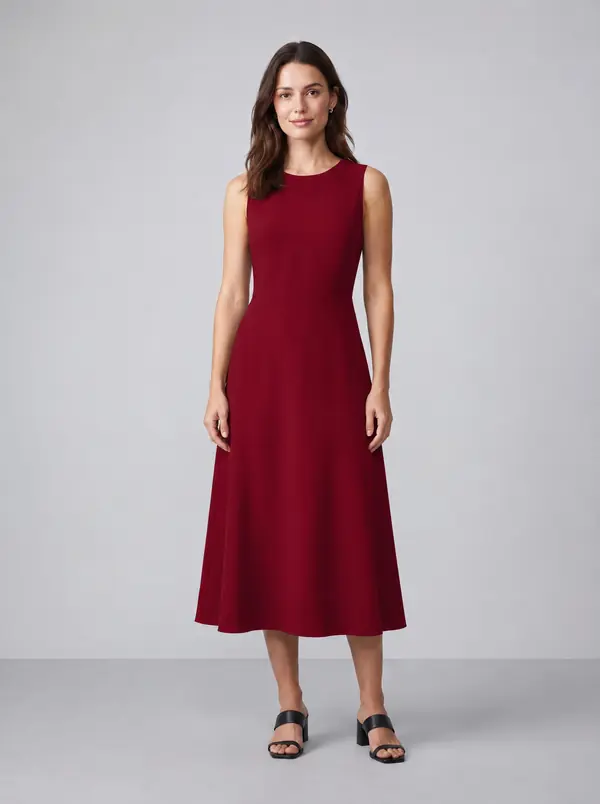 Burgundy
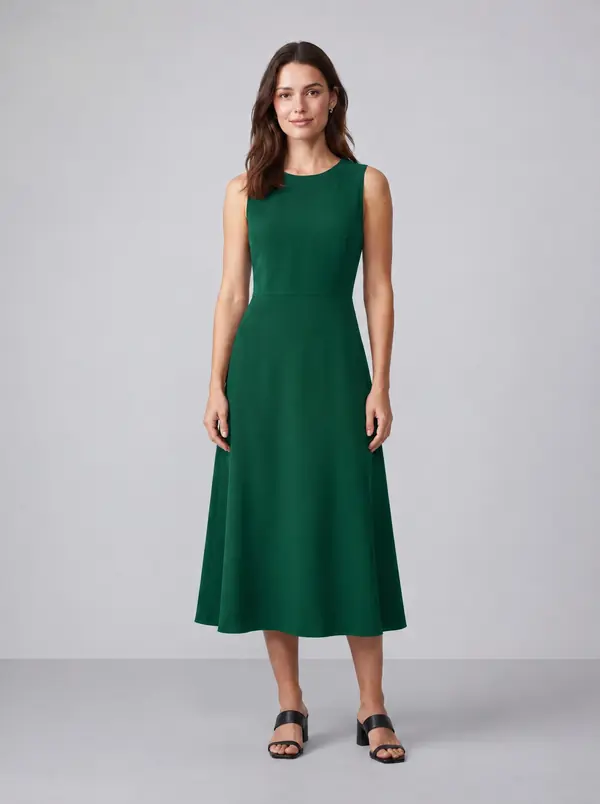 Emerald green
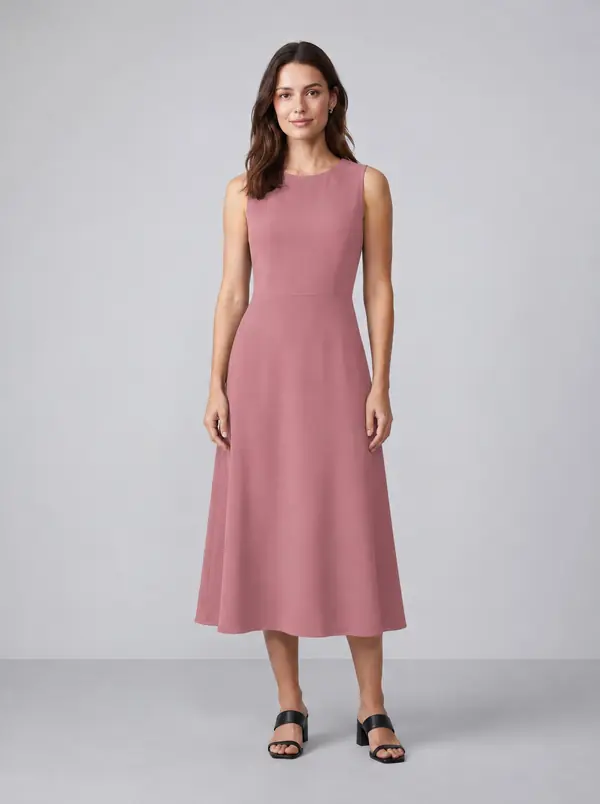 Dusty rose
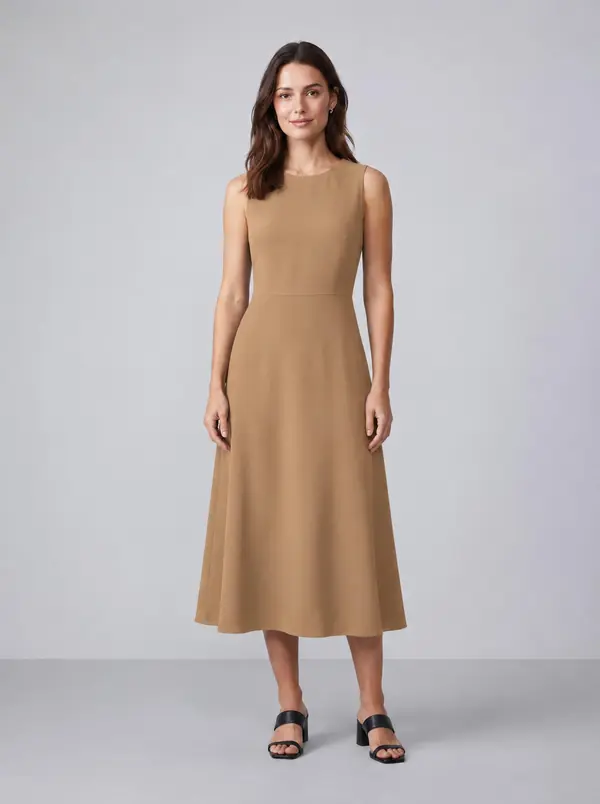 CamelStarting photoMade by Acuarela
Demo model photo made with an image generator; every colour after it is Acuarela's unretouched output.
How it works
Runs inside your Shopify admin or Wix dashboard, or in the browser for houses that sell wholesale. A person approves every colour before anything goes live.
Choose on-model photos from your catalog, or upload them. Pick colours from your brand library, or match one from a photo of the real fabric.
Fast drafts first, then finals at your original photo’s size. Approve, retry or re-render each colour. You see what a job will use before you start it.
Approved images go to the product and onto each colour variant, so clicking a swatch shows the matching photo. Or download them named for your line sheet.
ChatGPT app: not yet in the ChatGPT directory
The Acuarela Colour Variants app gives ChatGPT the same merchant-safe screens: store check, product pick, colour pick, image review and go-ahead preview. While it is not yet in the ChatGPT directory, we set it up with you.
Images are generated by ChatGPT on your own OpenAI subscription, about a minute and a half per image and up to roughly 1024 by 1536 pixels before matching the source photo.
You review every image first. A store update waits for the preview screen, then your typed reply of “go ahead” in ChatGPT.
You do not need to manage a raw plugin file. We walk through the ChatGPT setup with you and confirm the screens work for your store workflow.
The proof · style 10-12930Z
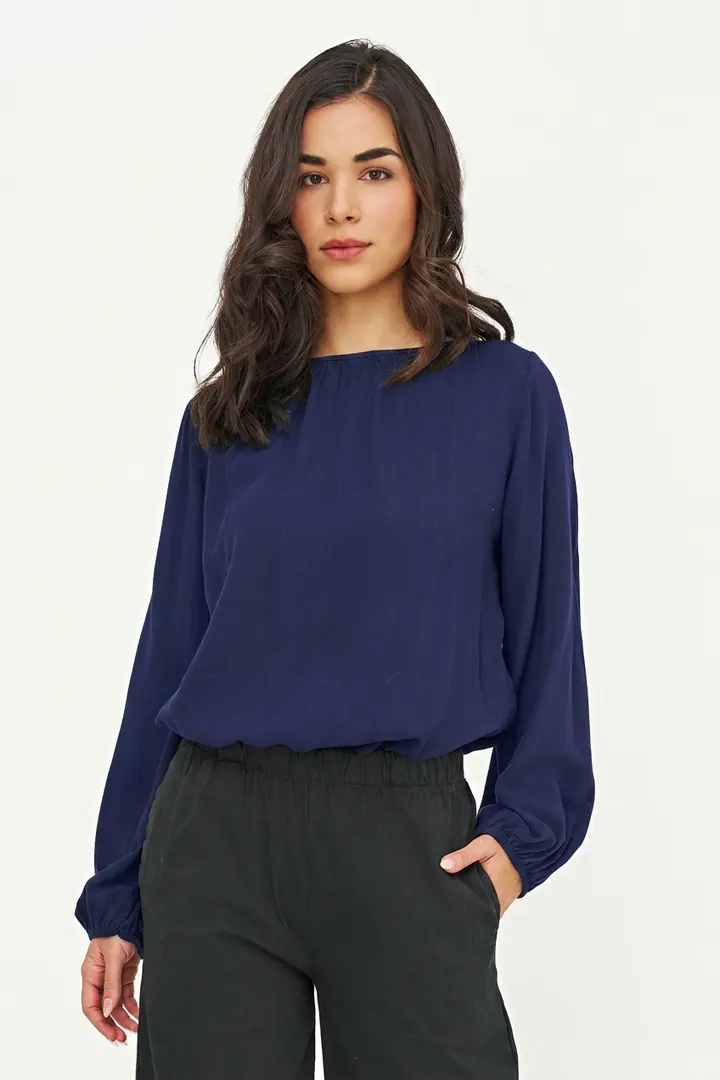
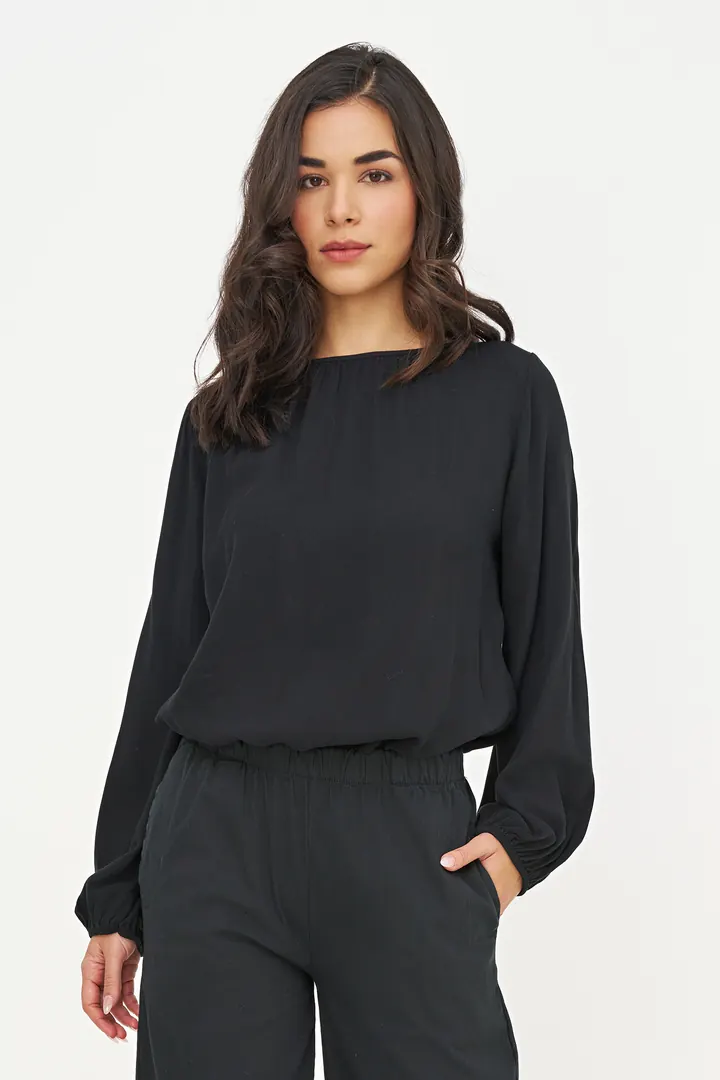
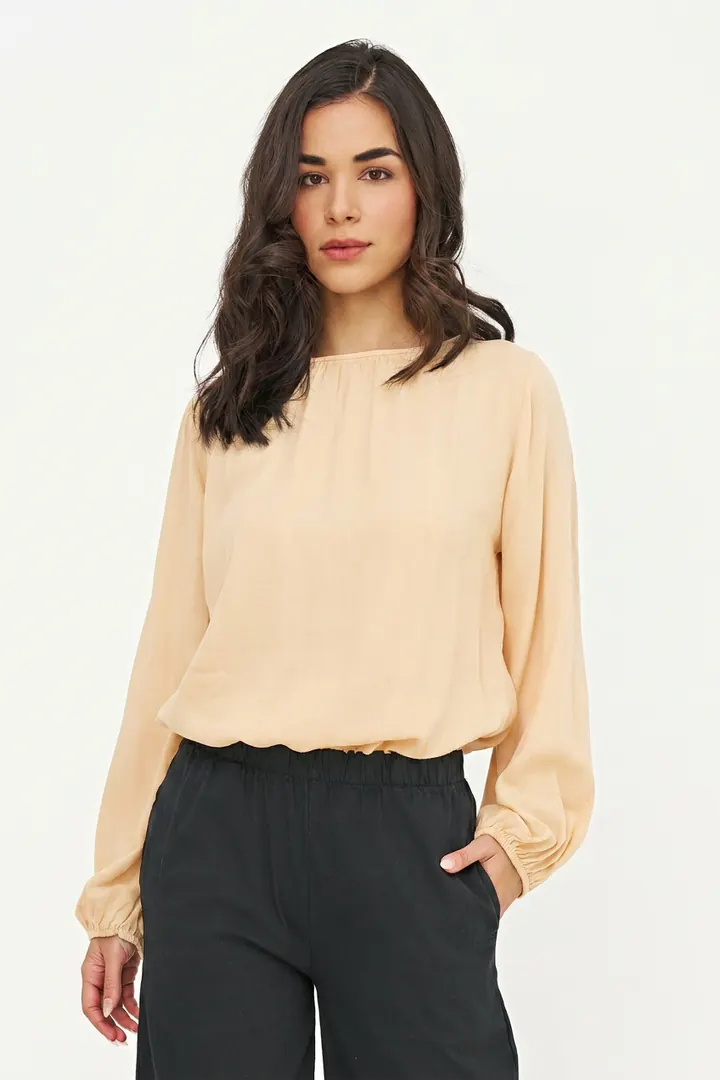
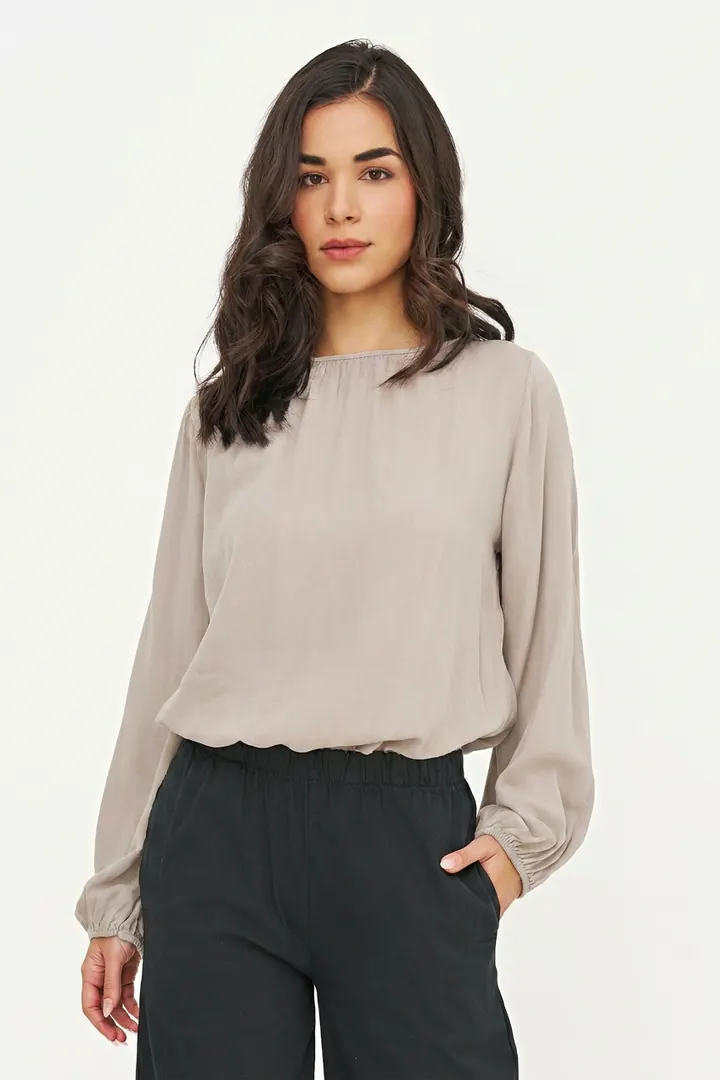
A real catalog style: four poses shot in one colour. Acuarela made every other square. Same face, same pose, same light, same crinkle in the fabric. Can you tell which column was photographed?
Which column was photographed? One guess. Then we tell you.
Built for catalogs
Most AI photo apps bolt recolour onto generated models and backgrounds. Acuarela starts from your real on-model photography: every colourway, then a short video of the ones you approve.
Identity lock
Model, pose, lighting, drape and weave hold across every colour. That is the whole product.
Brand colour library
Save colours once by name and hex, or sample one from a photo of the actual fabric. The same names map to your Shopify or Wix colour variants.
Variant assign
Each approved image becomes its colour variant’s image in Shopify or Wix.
Line sheet pack
Download a zip that drops into NuORDER, JOOR or Brandboom without renaming.
Human review
Draft, then final. Approve, retry or re-render. Nothing reaches your store until you say so.
Garment picker
Acuarela outlines each piece on your photo. Tap the one you sell, and only that piece changes colour.
Import photos
Drop in a folder. Each file is matched to its product and colour by name, then set on every size of that colour.
Weekly catalog check
If a colour stops showing its photo after an import, theme change or another app, you get an email and a free one-click fix.
Quality check
Every result is compared with your original. A colour that drifted or a changed background is flagged, and a before/after slider shows the difference.
Also included
Plans, not surprise bills
A monthly allowance of finished colours; drafts are free to try. The app shows what a job will use before it runs. Brand is unlimited (fair use 1,000 a month); on Starter, add 50 images for $10.
Web studio
Wholesale labels and houses on other platforms get the same engine and the same plans in the Acuarela web studio, with the line sheet download. Open by invitation.
Pricing
Same plans on Shopify and in the web studio. An image is one finished colourway of one photo; drafts are free. On Studio and Brand, pay yearly and get two months free. Cancel any time.
or $290 a year
14-day free trial on Shopify
or $790 a year
14-day free trial on Shopify
Billed on your Shopify invoice. Runs in your admin.

Upload photos, or connect a store: Acuarela is compatible with WooCommerce®. Download a line sheet pack. Card billing.
Request an invitePrices in USD, plus applicable taxes. Only finished colours count toward the allowance; draft previews are free. Finals match your original photo’s size.
The maths
Move the sliders to match a month of new styles. You shoot one colour; Acuarela makes the rest.
120 finished images at $50–$75 each, plus samples to ship for every colour.
Studio plan. Uses 120 of 150 images; drafts are free to try.
Reshoot range is our reference for small-studio e-commerce photography per finished image; it leaves out samples, shipping and scheduling. Acuarela counts only the finished image; draft previews and failed renders are free.
Done for you
We take your on-model shots and colour references, produce the matrix, check every image against your brand colours, and put each one on the right variant. You approve; we ship.
For reference, reshooting a style in five colours means shipping five samples and paying $50–75 per finished image, or $1,500–3,500 for a shoot day. A style is one garment and all its colourways, hero pose per colour. Canadian clients are invoiced in CAD with applicable taxes.
Fit
You need one on-model photo of the style. Your other colours can be ghost-mannequin or flat-lay shots, or no photo at all: Acuarela puts every one on that model. Here is what we do, and what we leave to other tools.
Free store check
Type your store's address into the free check. It reads only the catalog your store already shows the public, with no install, and counts the colours still for sale that have no photo. When it can tell which ones, it names them.
The same check looks for two causes: photos that are not linked to their colour, so tapping a swatch does not change the picture, and several colours that show the same photo. It counts the products where each one happens and names a few.
Check your store free Google Shopping’s 500 x 500 photo minimum
FAQ
On Starter, add 50 images for $10: on Shopify it goes on your next Shopify invoice, in the web studio you pay by card. Extra images last 12 months. On Studio, move up to Brand. Brand is unlimited, with a fair use of 1,000 finished images a month; past that, new work still runs overnight until your month renews. There are never automatic overage charges.
Yes, in beta. From any colour you keep, Acuarela makes a 5-second clip of the model turning so the garment shows from every side. On Starter and Studio a clip uses 5 images from your allowance; Brand includes 20 videos a month. On Shopify you can add it straight to the product.
When you install, Acuarela goes through your catalog and suggests where to start: colours with no photo, colour families worth completing, photos worth redoing. Each idea says roughly how many images it uses, and one tap opens it ready to run.
That is the whole product. Acuarela changes the garment colour and holds the model, pose, lighting, drape and texture. Every colour goes through your review first: approve it, retry it, or render the final. Nothing reaches your store until you approve it.
Each draft is checked against your original photo automatically. On a plain colour change, the review screen tells you when the colour may not match the one you asked for. Drafts are free to retry, and nothing reaches your store until you approve it.
One finished colourway of one photo. Drafts are free to try; keeping one, or rendering a final, uses 1 image. The app shows what a job will use before you start it. If a render fails on our side, the image comes back. No overage bills.
Save your palette once, by name and hex, or match a colour from a reference photo of the real fabric. The same names map to your Shopify colour variants, so each approved image lands on the right swatch.
Yes, in beta. For graphic tees it recolours the blank and keeps the graphic exactly as it is. For two-tone pieces you name the second part, such as the collar, and write colours as “Navy / White”.
Yes, as long as one colour has an on-model photo. Send that photo plus your ghost or flat shots of the other colours, and Acuarela puts each colour on your model. Flat lays with no model photo at all are not something we do: we keep your model, we do not invent one.
Yes. Import photos you already have: each file is matched to its product and colour by its name (SKU, style code, or product and colour) and set on every size of that colour. Anything unclear is listed for you instead of guessed.
No. The Shopify app is the quickest start and bills through Shopify. Acuarela also runs as an app in your Wix dashboard. In the web studio (open by invitation), Acuarela is compatible with WooCommerce: connect your store and approved colours go to the right variant. Wholesale labels can also download a line sheet pack named for NuORDER, JOOR or Brandboom.
Yes. While the Acuarela Colour Variants app is not yet in the ChatGPT directory, Adwaizer sets it up with you instead of asking you to install a plugin file yourself. It uses ChatGPT on your own OpenAI plan to make the images, usually about a minute and a half per image and up to roughly 1024 by 1536 pixels. Acuarela shows approval screens before anything is used; store changes still wait for you to reply “go ahead” to the preview and rely on whatever store tools you have connected in ChatGPT.
The same size and shape as your original on-model photo. When you keep a colour, Acuarela upscales it to match the photo you started from, so every colour sits in your gallery exactly like the original.
Yes. The film at the top of this page shows a midi dress, a men’s crew-neck t-shirt and a chunky rib-knit sweater, each in five more colours from one photo, with the drape and knit texture kept. Solid-colour garments work best; graphic tees and two-tone pieces are in beta.
Every colour is real Acuarela output, not retouched. In the film, the blouse comes from our test store (its navy starting photo is itself an Acuarela render of the photographed black blouse); the dress, t-shirt and sweater starting photos were made with an image generator for the demo. In the colour matrix, the black column is the merchant’s own photography; navy, pale apricot and warm greige are Acuarela finals from the approval queue, resized for the web.
Yes. The managed service gives you the colourways without learning a tool. We produce the images, check them against your brand colours, and publish them to the right variants.
Talk to us
We onboard a few brands at a time so every colour gets a real review. Send the shape of your catalog and we will come back with a scope and a price.
Prefer email? [email protected]
Acuarela